Welcome to pycWB’s documentation!
Warning
🚧 This documentation is a work in progress. 🚧
Many sections are incomplete, under active development, or subject to change. Please check back regularly for updates, and consider contributing if you find gaps or errors.




PycWB is a modular Python implementation of the coherent WaveBurst (cWB/cWB-2G) search algorithms for gravitational-wave burst searches.
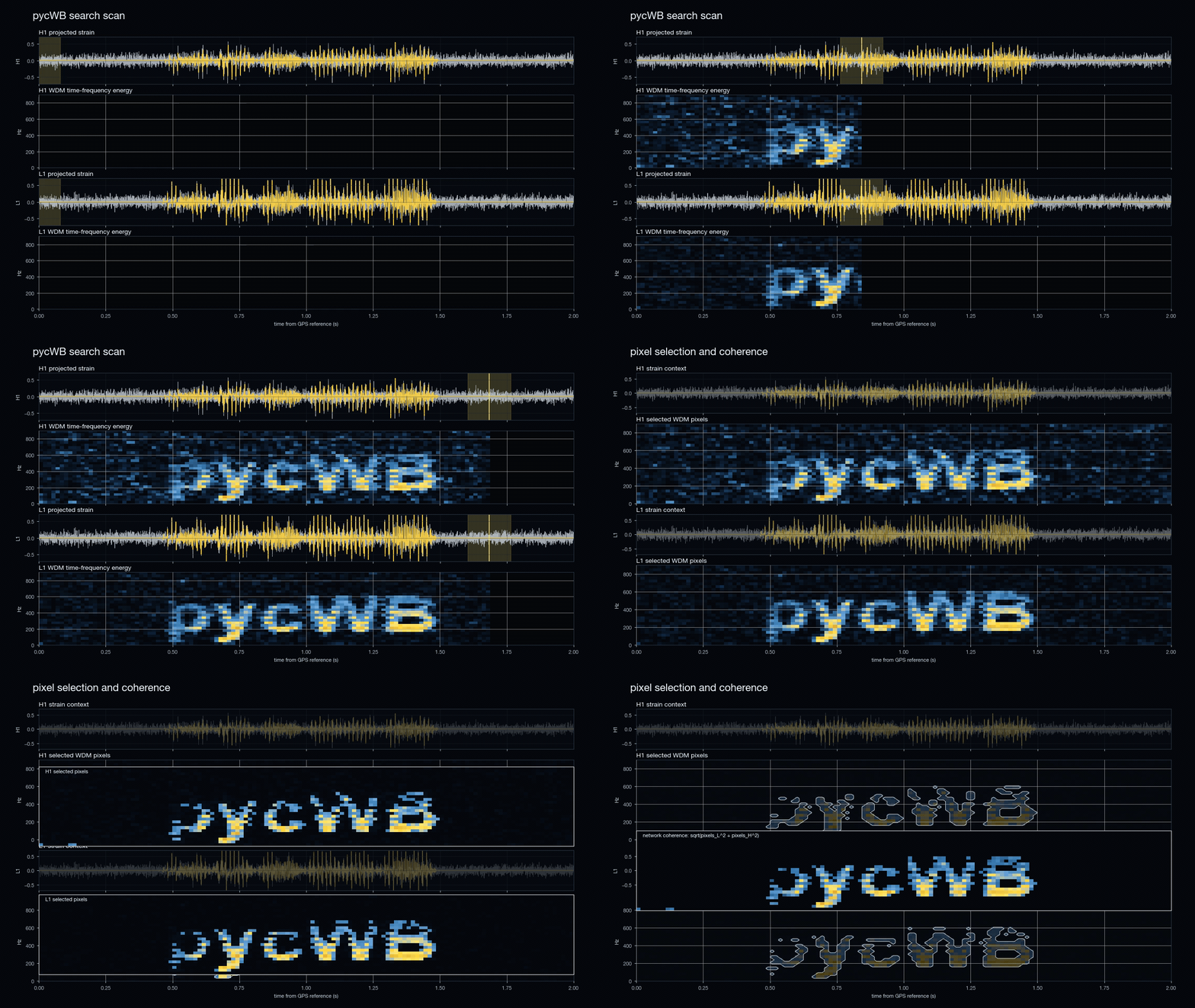
A compact animation of the pycWB search flow: detector strain scanning, WDM time-frequency pixel selection, and network coherence. This animation is for reference only and is not a 100% accurate representation of every pycWB pipeline step.
What is pycWB?
pycWB is a Python package for coherent gravitational-wave burst searches. It implements the same cWB/cWB-2G algorithmic chain used by the ROOT/C++ cWB pipeline: WDM time-frequency analysis, coherent pixel selection, clustering and superclustering, coherent likelihood evaluation, waveform reconstruction, and postproduction ranking.
pycWB implements the cWB/cWB-2G algorithms for coherent burst searches. It analyzes strain data from the LIGO-Virgo-KAGRA detector network, transforms it into a wavelet time-frequency representation, and searches for short gravitational-wave transients with minimal assumptions about the signal waveform by identifying coherent excess-power structures across the detector network.
Unlike template-based searches that look for specific waveforms, pycWB identifies any statistically significant coherence between detectors, making it sensitive to both known and unknown source types.

Choose Your Path
Start Here →
Standard Analysis →
Analysis Recipes →
Decision Guides →
Core Concepts →
Migration from cWB →
Background, XGBoost, Efficiency →
Schema →
Developer Guides →
Quick Start
# Install
pip install pycwb

# Copy example
cp -r examples/injection my_first_search && cd my_first_search

# Run
pycwb run user_parameters_injection.yaml
See Start Here for a guided first run, or Installation Guide for detailed installation options.
Documentation Map
What pycWB does, first run in 10 minutes, common mistakes |
|
Learn by example: injection, multi-injection, batch |
|
Copy-paste workflows: all-sky, targeted, injection campaign, debugging |
|
Flowcharts: which settings, which recipe, which split strategy |
|
Algorithms: pipeline lifecycle, job control, clustering, likelihood |
|
How cWB, cWB-2G, cWB-XP, and public examples relate to pycWB |
|
Public GWTC cWB waveform reconstruction and CED reference links |
|
Config templates, cluster submission (Condor & SLURM) |
|
Background estimation, XGBoost ranking, detection efficiency |
|
All parameters: defaults, ranges, descriptions, cross-references |
|
modules |
Auto-generated API reference from docstrings |
~60 key terms: lag, DPF, FAR, rho, supercluster, etc. |
|
Developer Guides |
Architecture, setup, build/test, modules, performance, contributing |
CLI Reference
Most users only need these three commands:
pycwb run         # Run a single search
pycwb batch-setup # Generate Condor/SLURM submission scripts
pycwb post-process# Run postproduction workflow
See the Run on Clusters page for full CLI details, or run
pycwb --help for all available commands.